Studio Complete (discontinued)
Product discontinuation notice
Studio Complete is no longer available. Studio Complete was a coding turbo for Visual Studio .NET 2002 and 2003. Originally released in 2002, Studio Complete was discontinued in 2014 as part of a normal product lifecycle. We thank all our customers who have chosen Studio Complete. Existing licenses are still valid.
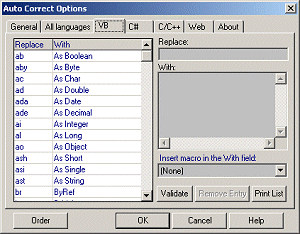 Studio Complete was a Visual Studio .NET add-in (VS.NET 2002 & 2003) that completed code as you wrote it. Similar to the AutoCorrect feature of MS Word, it replaced shortcuts with completed code.
Single user license: one copy of Studio Complete may either be used by a single person who uses the software personally on one or more computers,or installed on a single workstation used nonsimultaneously by multiple people, but not both.
Site license covers a single organization for an area of up to one hundred miles (160 km) in radius.
You may access the full version of Studio Complete through a network, provided that you have obtained individual licenses for the software covering all workstations that will access the software through the network. For instance, if 8 different workstations access Studio Complete on the network, each workstation must be licensed, regardless of whether they use Studio Complete at different times or concurrently.
The last version of Studio Complete was v1.0.2.