Aivosto — Programming Tools for Windows and .NET Coders

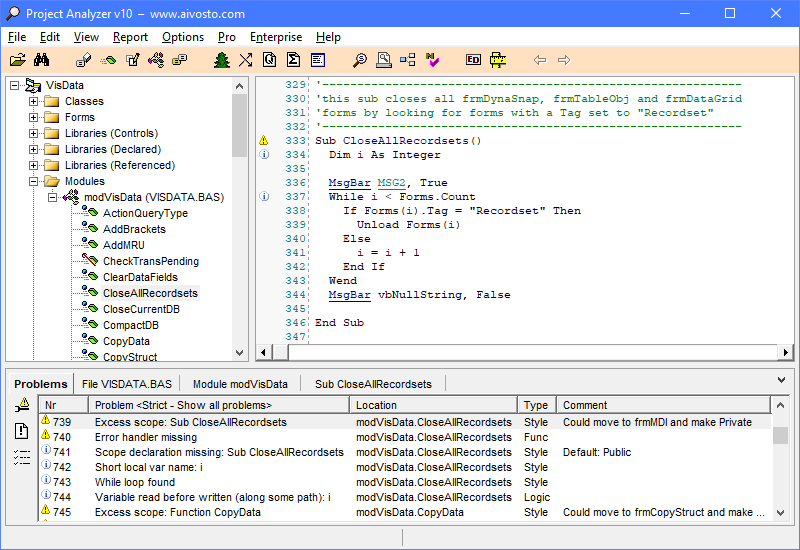
Project Analyzer screenshot Project Analyzer Project Metrics screenshot
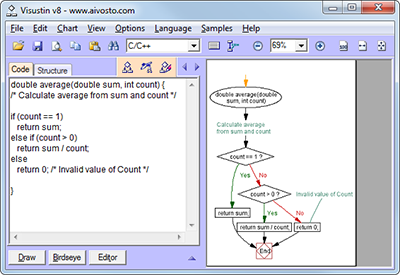
Visustin screenshot Visio flowchart exported by Visustin

Project Analyzer v8.1 reviews & documents VB code

Understand your Visual Basic, VB.NET and VBA projects. Optimize and enforce programming standards. Print code. Generate documentation and diagrams. Surf your code in hypertext. List cross-references. Analyze the impact of changes. Find unused code, duplicated blocks and bad coding. Review class design. View 180 software metrics.


Project Analyzer features

Delete dead VB code automatically
Delete unused functions and modules.
Find invisible controls and duplicated code.

Perform automated VB code review
Clean up your code. Enforce coding standards.
Optimize your syntax. Auto-fix bad code.
Locate logical flaws and hidden errors.

Understand legacy code
Surf hyperlinked code and call trees.
List cross references. Perform impact analysis.
Create project documentation.

Diagram your Visual Basic applications
Class hierarchy and cohesion diagrams
Data flow diagrams, control flow diagrams
Dependency diagrams
Function call graphs
Visio diagrams of large VB systems

What's new in Project Analyzer v8.1

Free VB analysis service

Visustin v5 Flow chart generator

Visualize your code with flowcharts. Visustin reverse engineers source code to flow charts and UML activity diagrams. Create Visio flow diagrams and PowerPoint slides. Flowchart your source files in an automated way. Review algorithms. Verify program logic. Document complex functions. Restructure incomprehensible code.

Visustin flowcharts Ada, ASP, assembler, BASIC, C/C++, C#, Clipper, COBOL, ColdFusion, Fortran, Java, JSP, JavaScript, LotusScript, Pascal/Delphi, Perl, PHP, PL/SQL, PowerScript, PureBasic, Python, QuickBASIC, REALbasic, T-SQL, VB, VBA, VB.NET, Visual FoxPro and XSLT code.


Flow chart Editor added in Visustin v5

New version! Edit flow charts with Visustin v5. Draw flow charts manually. Generate charts automatically, adjust manually. New version adds support for ColdFusion, XSLT and Turbo Delphi. What's new

VB Watch screenshot

VB Watch v2 – Profile, debug, handle errors

Evaluate performance and detect bottleneck code. Measure test coverage and find unexecuted lines. Add professional error handling and identify bugs in no time. Monitor executables and debug remotely. Ensure the quality of your VB6 projects.

No more mysterious error messages and crashes. No more yelling users! VB Watch adds advanced error handlers to your code with a few clicks, keeping your existing error handling fully enabled.

More programming utilities

CodeSMART Add-in for C/++, C#, VB.NET and VB6
VB Friend Go overspeed with VB6
Source+ VB/VBA librarian

Product catalog
ActiveXplorer Library file viewer and manager
Eval VB math parser and evaluator
RegExpr VB/VBA regular expressions

News

Draw and edit flow charts with Visustin v5

(11/2007) Draw flow charts — or generate them from your source code! Visustin v5 is a tool that visualizes your programs as flow charts. In addition to automated flowcharting, the built-in Visustin Editor lets you draw and edit flow charts manually. Design complex systems. Understand legacy projects. Document decision processes and workflows. The new Visustin v5 can run fully automated flowcharting jobs. You can integrate flowcharting as a part of your application's build process to keep technical documentation always up-to-date.

Visustin icon

VB Watch v2.0.10 profiles and debugs on Vista

(08/2007) Support for Windows Vista has been added to VB Watch, the error handling, profiling and debugging tool for Visual Basic 6. It supports previous Windows versions as well.

Analyze C# code with CodeSMART 2007

(06/2007) Review your C# solution for dead code, optimization flaws and coding standard infringements. Set User Interface standards. Enforce commenting standards. Find references. Write better code faster with this Visual Studio .NET productivity add-in.

More news

RSS

Featured programming articles

Dead code detection and removal

Increase quality, decrease files and save money by removing unused, dead code.

Optimize string handling in VB6 - Part I

String handling in Visual Basic is slow if done the wrong way. You can add significant performance to string operations by following a few easy tricks.

Optimize string handling in VB6 - Part II

Make your Visual Basic apps process text fast as lightning. Part II of this article dives deep into the performance of the VB6 String functions. We learn the functions to use and the ones to avoid. We also learn how to call the Windows Unicode API functions and how to build really, really huge strings without crashing our VB6 apps.

User Interface bug tests

Test your Windows applications for common bugs in the User Interface (UI). This article shows 10 ways to find nasty bugs.

More development articles and resources

Write us!

How do you like our software? Have any questions? We hope to hear from you! Contact Aivosto.

Company information

©Aivosto Oy -